Introduction:
The procedure of purchasing something online should be easy and fast. Sometimes, a simple choice such as choosing a color can be an unending nightmare. A dropdown menu that is full of words such as “Charcoal Grey” or “Sky Blue” isn’t much help, with no images to illustrate what it appears like.
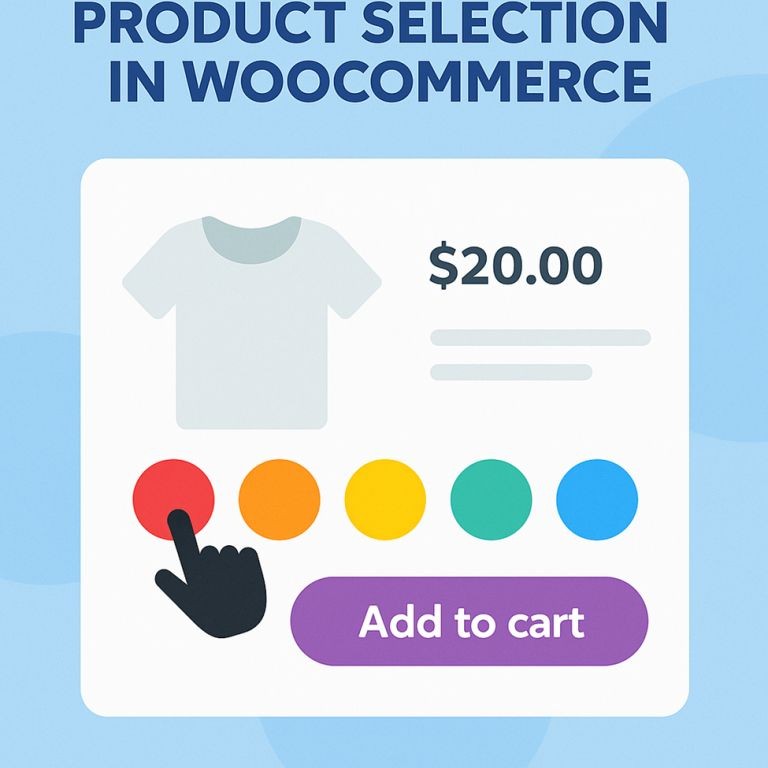
That’s where color swatches come in. Instead of guessing what each color or option looks like, swatches show small color boxes or images that customers can click. It makes choosing feel natural, like picking a color off a paint chart or seeing clothes in a store.
A lot of WooCommerce owner’s are employing variation swatches in order to solve this issue. A minor tweak can make a an enormous difference in the way that products are presented and how quickly customers decide what products to buy.
What Are Color Swatches in WooCommerce?
You may come across products with various colors, sizes, and styles within a WooCommerce store and usually customers pick these from dropdown menus. But with WooCommerce swatches, these options are shown as buttons, color boxes, or images.
For example:
- A shirt that comes in red, blue, and green will show three colored boxes instead of a dropdown list.
- A sofa with fabric options can show actual pictures of the fabric.
- A mobile cover with different patterns can show the design directly as an image swatch.
Because of this people are more well-informed when it comes to selecting before adding a product to their cart.
Why Use Color Swatches Instead of Dropdowns?
1. Easy to Understand at a Glance
Swatches are easier to read than written words. It’s not necessary to consider what “Teal” or “Olive” looks like; they simply look it up.
2. Makes the Page Look Better
A page with color boxes or style pictures looks more clean and modern compared to long dropdowns.
3. Helps on Mobile Devices
Dropdowns can be harder to use on phones. Swatches are easy to tap with a finger and don’t take up much space.
4. Speeds Up the Buying Process
When people see the product options clearly, they don’t spend extra time deciding or double-checking. This helps them buy faster.
5. Less Mistakes When Picking Options
Room for error decreases as customers won’t be as likely to go for the wrong variation with this plugin in action.
How Do Color Swatches Work in a WooCommerce Store?
This plugin lets store owners create products with additional options of variations that include color of the product, its size, and also its design. By default, these are shown as dropdowns which usually are not functionally acceptable.
By installing a WooCommerce color swatches plugin, these dropdowns can be replaced with color blocks, labels, or small images.
Each variation is shown as a clickable box. When someone clicks on a swatch, the product image can also update to match the option they selected. For example, clicking on a red color swatch can change the product photo to show the item in red.
Plugin Spotlight: Extendons WooCommerce Variation Swatches
There are a variety of plugins that help to create Swatches. One popular choice is the WooCommerce variations Swatches plugin from Extendons.
This plugin gives full control over how product options look.
Key Features:
- Show product options as color boxes, text labels, or images
- Choose between round or square shapes
- Adjust swatch size to match the store layout
- Show swatches on both product and shop pages
- Option to hide or blur out-of-stock variations
- Add tooltips to explain each variation
This is greatly useful for stores that are selling clothes, makeup, shoes, furniture, accessories, or anything that has colors or styles that need to be seen to understand.
What Types of Stores Benefit from Swatches?
Fashion Stores
Instead of asking customers to read a list of colors and sizes, swatches let them click on what they want quickly.
Cosmetics Stores
Lipstick, foundation, nail polish, these are all things that customers choose by color. Showing them with swatches makes the selection clear.
Furniture and Decor
If a sofa comes in five fabric options, swatches can show each texture or color without needing a description.
Electronic Accessories
Things like mobile cases, headphones, or bags often come in different styles. With the help of swatches, your customers will also be able to see all the available options without having to click around too much.
How to Add Color Swatches To Your WooCommerce Store
Step 1: Find and Install a Plugin
Pick a good WooCommerce swatches plugin from a trusted developer like Extendons. Install and activate it.
Step 2: Add Product Attributes
Within your WordPress dashboard, you will first have to go to products, then attributes. From there, you will have to create new attributes such as color or size.
Step 3: Set Swatch Type for Each Attribute
Decide how each option will look: color, image, or text. Add colors or upload images for each value.
Step 4: Apply to Products
Edit your products and assign these attributes. The swatches will now show on the product pages.
Step 5: Customizing the Appearance
You can customize the size, shape, and also the layout of the swatches from within the settings of your very own plugin.
Small Details Making a Big Difference
WooCommerce variant swatches and plugins come with additional features to enhance the shopping experience more smoother.
Hover to Preview
Customers can see the way a product appears in different colors by moving their mouse across a sample.
Cross Out or Blur Out-of-Stock Items
Show that a certain option is out of stock by making the swatch look faded or crossed out.
Show Swatches on the Shop Page
Instead of making customers click into each product, swatches can show up right on the category or shop page, helping people make decisions faster.
Results Store Owners Can Expect
Store owners who use swatches often say:
- Product pages look more clear and clean
- Customers spend less time choosing
- Fewer mistakes are made in orders
- Better odds for shoppers to complete their purchase.
FAQs
What does a WooCommerce color swatches plugin do?
It’s a plugin that replaces dropdowns with clickable color boxes or images to show product options more clearly.
Can swatches work with all types of products?
The swatches are generally meant to work with products that include clothing, makeup, furniture, or other accessories very well.
Is the swatches setup process in WooCommerce lengthy or straining?
No. Most plugins make it easy with simple settings. No coding is needed.
Can swatches show on mobile phones too?
Yes. They are designed to work well on both desktop and mobile screens.
What if a product variation is out of stock?
The plugin can hide that swatch or show it faded or crossed out so customers don’t try to buy it.
Final Thoughts
Color swatches can appear like a minor difference however, they can make a huge difference in the way shoppers purchase on the internet. If products are presented with clear, graphical options, consumers feel more confident about their decisions.
Using a plugin, such as The WooCommerce variations swatches by Extendons, lets store owners have control of the way that variations of products are presented. It’s simple to use and works on all sorts of items, and provides stores a cleaner, modern appearance.
For WooCommerce stores looking to make shopping easier and more enjoyable, including swatches can be a smart choice.
