

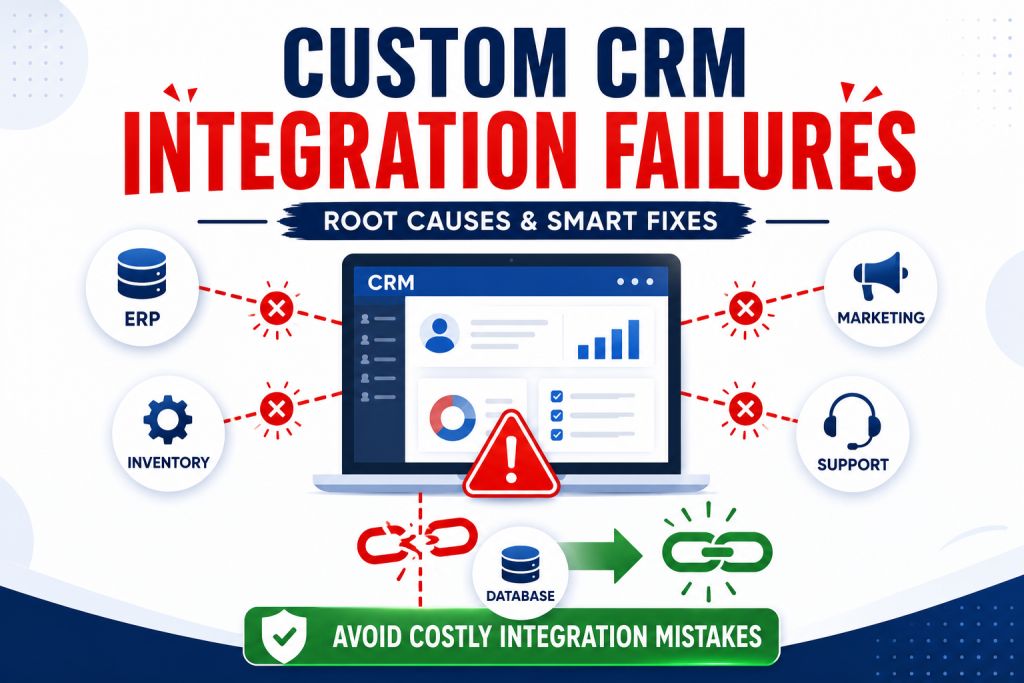
Most businesses don’t lose money on the CRM itself. They lose it in the six weeks after go-live. Sales data quietly stops syncing with the ERP. Marketing automation fires the same email twice. Support tickets go missing somewhere between two systems that were supposed to talk to each other. I’ve watched this exact pattern play out at Arobit across manufacturing, retail, and B2B service companies more times than I’d care to count, and the reason almost never comes down to which CRM the company picked. It comes down to how the integration was planned. Or, more often, whether anyone planned it at all.
A CRM is only as good as the data flowing through it. Break that flow and what you’re left with isn’t a CRM. It’s a very expensive dashboard nobody trusts. Once trust goes, sales reps drift back to those spreadsheet things, support goes back to email chain miles and the whole investment just sits there half used, while everybody finds their own workaround.
Why Integrations Break in the First Place
The trouble usually starts before anyone actually puts a line of code down. A team chooses a CRM, writes out which systems it needs to connect with and assumes, kind of casually, that the vendor’s built in connectors will do the rest. They don’t. Not fully, anyway, and rarely on the first try. A few things tend to go wrong, and they usually go wrong in this order:
- Mismatched data. ERP systems, custom billing platforms, old inventory tools, third-party marketing suites — each describes the same customer a little differently. Field names don’t line up. Date formats clash. One system calls a lead a company; another calls it a person. Nobody catches this until a report gets pulled six weeks in and the totals don’t add up. Sometimes it’s worse than an afternoon of tracing the error. I’ve seen a finance team burn a full week reconciling revenue that never should have diverged in the first place.
- Weak APIs. A lot of older ERP and accounting platforms shipped with thin, barely documented APIs. Some had none at all. A developer stuck working around that ends up building something fragile — a nightly batch job, say, that fails quietly the moment a server reboots at the wrong hour. Nobody checks the logs. Weeks pass. Eventually a sales manager asks why last Tuesday’s orders never showed up.
- Rushed mapping. On a project plan it looks like one line item among dozens, easy to skim past. But if customer IDs, SKUs, or pricing tiers aren’t mapped consistently at the start, every sync afterward compounds that original error. Cleaning it up six months later costs a lot more than getting it right on day one would have.
- Unclear ownership. Integration work tends to sit in the gap between IT, the vendor, and whichever department actually asked for the CRM. Something breaks. Three groups point at each other. Somehow nobody owns the fix. Call it a people problem wearing a technology costume.
- Underestimated scale. An integration handling 500 records a day runs beautifully in testing. Push it to 50,000 during a seasonal spike and things fall apart fast — API calls time out, duplicate records pile up, and someone loses the better part of a week cleaning them by hand. Nothing crashes outright. The system just gets slower and quieter about its own mistakes, which somehow makes it worse.
A Scenario That Plays Out More Than You’d Think
Picture a mid-size industrial parts distributor. Their ERP has been patched together for fifteen years, and they’ve just rolled out a new CRM to give the sales team better visibility into accounts and orders. On paper the plan looks fine. A vendor connector links the two systems. Orders flow from the CRM into the ERP; inventory levels flow back the other way.
For the first two weeks, nothing seems wrong. Then a regional sales manager notices a customer got quoted a price that doesn’t match what’s sitting in the ERP. Someone digs in and finds the pricing tier field was mapped incorrectly during setup, so a chunk of accounts got tagged with the wrong tier the moment the first sync ran. Nobody caught it, because the connector never threw an error. It just moved bad data quietly and efficiently, exactly the way it was built to.
By the time the issue gets traced back to its source, dozens of orders have gone out at the wrong price. A few customers are annoyed. Finance is untangling invoices that don’t match the contracts on file. None of this happened because the CRM was a bad product. It happened because nobody stress-tested the mapping logic against real pricing scenarios before go-live, and nobody was assigned to watch the sync during those first critical weeks. A large share of the integration failures we see follow roughly this shape. The technology itself rarely fails. The process around it does.
What makes these failures frustrating, more than anything, is how avoidable most of them look when you look back. Nobody actually sits down at the start of a CRM project and thinks “let’s skip data mapping” on purpose. It gets skipped because timelines are tight, budgets are already stretched from the CRM licensing costs ,and mapping work feels like something that can “run alongside” with the development effort. It almost never happens, in real life. Once development is underway, touching the mapping means rebuilding code that’s already been written, and that’s not a discussion anyone wants to bring up with a sponsor who’s already a bit nervous about go-live timing. It’s a small decision at the time, made under pressure, that tends to cost far more than anyone expected once the sync is live and customers are involved.
What Actually Prevents These Failures
The fix isn’t a fancier tool. It’s better sequencing, and a handful of habits that separate integrations that hold up from the ones that don’t:
- Map before you build. Audit the systems before development starts, not somewhere in the middle once things are half-built. Sit with every connected system and write out how each one names, formats, and stores its data. Tedious, yes. It’s also the work that keeps a project from unraveling six months later. This single step would have caught the pricing tier problem above, probably in an afternoon of review instead of weeks of cleanup.
- Build a real middleware layer, not a patch job. A dedicated integration layer with proper error handling, retry logic, and logging catches problems before they ever reach the CRM. When Arobit delivers custom CRM development services for clients carrying messy legacy stacks, this middleware layer is usually where most of the engineering time actually goes. Not the CRM’s front end. The plumbing behind it. It also gives a team something a native connector rarely offers: visibility. When a sync fails, someone should know within minutes, not weeks.
- Test with real data volumes. Not a sample set thrown together the week before launch. Run the integration at production scale before go-live, and simulate the busiest day of the year rather than an average Tuesday. It’s uncomfortable to surface problems this way. Still cheaper than finding them mid-quarter with live customer data on the line. Worth testing edge cases too — what happens when a record is missing a required field, or two systems try to update the same record at the same moment?
- Give ownership to a person, not a department. Someone needs to check sync health and error logs regularly and flag drift before it turns into a crisis. Obvious once it’s written down like that. Teams skip it constantly anyway, partly because nobody wants to own a system they didn’t build, and partly because the responsibility tends to get lost once the project officially wraps.
- Design with change baked in. Companies swap ERP vendors, add sales channels, get acquired, or acquire someone else. An architecture built as though today’s systems are permanent won’t survive two years. Connectors that are modular and well documented bend instead of snapping when that happens.
One more habit that tends to get skipped, and probably shouldn’t: write down every mapping decision, every workaround, every odd business rule baked into the integration logic, somewhere the next developer can actually find it. Integrations rarely fail because the original build was bad. They fail two or three years later, after the original developer has moved on, when someone new is trying to figure out why a field behaves the way it does and there’s no record of the reasoning left behind.
Looking Ahead
Integration platforms are drifting toward self-monitoring — the kind that flags anomalies in a data sync before a human notices the report looks off. AI-assisted mapping tools are getting sharper too, catching field mismatches automatically during setup, which should trim a good chunk of manual audit work over the coming years. None of that removes the need to plan properly upfront, though. It just makes recovery from small errors quicker and cheaper when they do slip through.
There’s a broader shift underway too, toward treating integrations as living systems rather than one-time deliverables. Instead of a project that ends at go-live and only gets revisited once something breaks, more companies are building in scheduled reviews, quarterly data quality audits, and periodic load testing as new systems join the stack. Small operational change. It tends to catch drift long before it ever becomes visible to a customer.
Companies that treat CRM integration as an ongoing discipline, not a project that wraps at launch, tend to sidestep the worst of these failures. That mindset shift matters more than any specific tool. It’s what separates systems that stay reliable for years from the ones needing a rescue project every eighteen months.
Arobit works with businesses across sectors as a custom CRM software development company in India, and this same pattern keeps showing up: the projects that go smoothly are the ones where mapping, middleware, and ownership got treated with the same seriousness as picking the CRM itself. Getting that sequence right the first time is almost always cheaper, and a lot less painful, than fixing it after the fact.
FAQs
- How long does a custom CRM integration typically take to implement properly?
Depends on how many systems are involved and how clean the existing data already is. For a mid-complexity integration, including proper mapping and load testing, eight to sixteen weeks is a fair working estimate. Rushing past that timeline is one of the more common reasons integrations fail in their first quarter.
- Can an existing CRM integration be fixed without starting over?
Usually, yes. A full rebuild is rarely necessary. Auditing the current data mapping, adding a real middleware layer, and putting someone in charge of monitoring it resolves most ongoing sync issues without tearing out what’s already there. The scenario above, for instance, never needed a rebuild. It needed a mapping audit and someone actually watching the sync logs.
- What’s the biggest warning sign that a CRM integration is about to fail?
Mismatched record counts between systems, almost every time. Delayed or missing syncs during high-volume periods tend to follow soon after. If nobody’s watching for these signs on a weekly basis, small errors snowball long before anyone notices, and by the time they surface they’re usually tangled up with a dozen other records that need untangling too.
These warning signs rarely announce themselves loudly, worth adding. A missed sync doesn’t throw up a red banner. It just sits there quietly, one record at a time, until a customer complains or a report looks strange enough that someone finally goes digging. Checking sync health the way a team checks server uptime — on a schedule, not just when something feels off — tends to catch these problems while they’re still small and easy to fix. A short weekly checklist is usually enough: record counts matching across systems, error logs reviewed, and any failed syncs from the past week actually resolved rather than just noted and forgotten.

Chris Mcdonald has been the lead news writer at complete connection. His passion for helping people in all aspects of online marketing flows through in the expert industry coverage he provides. Chris is also an author of tech blog Area19delegate. He likes spending his time with family, studying martial arts and plucking fat bass guitar strings.