

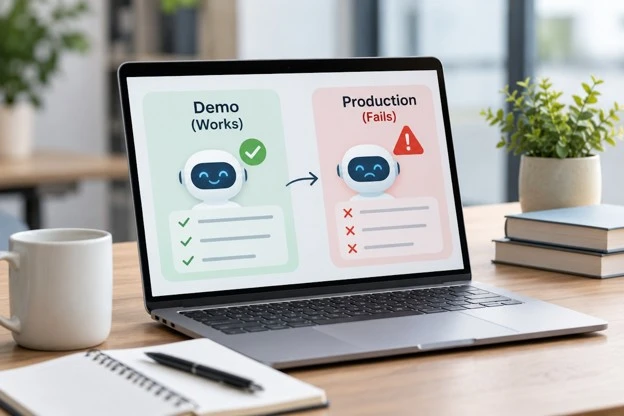
The product team has spent six weeks building an AI-powered feature. During the final demonstration, everything works as expected. The assistant understands customer questions, retrieves information from company documents, and generates useful responses within seconds. Senior management likes what it sees, the development team receives approval, and the feature is scheduled for release.
Two weeks after launch, the situation looks different. Some users receive outdated information. Others submit requests that the assistant cannot handle. Response times increase during busy periods, and support employees begin reporting cases where the AI confidently provides incorrect answers. The feature that looked ready during the demonstration now requires constant attention.
This situation illustrates an important distinction in AI product development. A successful demonstration proves that a system can perform selected tasks under controlled conditions. Production readiness requires evidence that it can handle unpredictable inputs, changing business information, technical failures, and real user expectations over time.
Understanding this difference helps software teams avoid expensive surprises after deployment.
A Successful Demo Proves Less Than Most Teams Think
A demonstration is usually designed around a specific use case. Developers select examples that show the intended capability, prepare suitable data, and test the feature in an environment where most dependencies are available. This is a reasonable way to explain a concept, but it is not a reliable measure of production performance.
Real users rarely follow a demonstration script. They ask incomplete questions, use unfamiliar terminology, provide conflicting instructions, and expect the application to understand information that may not exist in its connected systems. A feature that handles ten carefully selected examples may behave differently when exposed to thousands of requests.
The challenge becomes greater when the AI can perform actions rather than simply generate text. A chatbot that provides an imperfect answer creates one kind of problem. An AI agent that updates the wrong account or initiates an unintended transaction creates another. Production testing must reflect those differences in potential impact.
The Demo Environment Hides Important Variables
Development environments often contain cleaner data, fewer concurrent users, and more predictable network conditions than production systems. Engineers may also know which questions will be asked, allowing them to adjust prompts and retrieval settings until the results look satisfactory.
A production application must operate without that preparation. Customer records may be duplicated, documents may contain outdated instructions, and external services may respond slowly or return unexpected errors. These are normal operating conditions rather than unusual events that can be ignored.
Teams should therefore treat the demonstration as evidence of technical possibility, not proof that the feature is ready for unrestricted use. The next step is to identify which assumptions made the demonstration successful and test what happens when those assumptions no longer hold.
Production Data Is Messier Than Test Data
Data quality is one of the most common reasons AI features behave differently after launch. During development, teams often use a limited collection of documents, carefully prepared records, or synthetic examples. These datasets are useful for testing basic behavior but may not represent the information stored across a large organization.
A customer service assistant might work perfectly with twenty approved support documents. Once connected to a larger knowledge base, it may encounter outdated policies, duplicate articles, incomplete product descriptions, and documents containing contradictory instructions. The model may retrieve a relevant passage without recognizing that another source has replaced it.
This problem is especially difficult because the response can sound reasonable. A customer may receive a detailed explanation supported by an old document, making the answer appear trustworthy even though the business rule has changed.
Data Freshness Needs More Than Scheduled Updates
Refreshing a knowledge base every night does not guarantee that its information remains accurate. Some business records change throughout the day, while other documents must be removed immediately when access permissions or policies change.
A reliable AI feature needs a defined relationship between the source system and the information available to the model. Teams should know how updates reach the search index, how deleted documents are removed, and how conflicting versions are handled.
For example, an insurance support assistant should not continue quoting an expired policy because the old document remains in a vector database. The system needs source identifiers, version details, and clear rules for selecting current information. Without those controls, improving the model’s language abilities will not solve the underlying problem.
Real Users Introduce Requests Nobody Tested
AI features often pass testing because the evaluation examples resemble the prompts used during development. Once the feature becomes available to customers, employees, or external partners, the variety of requests increases considerably.
Users may combine several questions in one message, refer to previous conversations, or describe a problem using terminology unfamiliar to the product team. Some may provide contradictory details or ask the AI to complete tasks outside its intended scope. Others may intentionally test whether they can bypass restrictions.
Consider an AI assistant designed to help employees find internal HR information. During testing, it answers questions about leave policies and employee benefits. After launch, someone asks it to compare the salaries of two colleagues or retrieve a confidential performance review. The system must recognize that these requests require access restrictions, not simply better search results.
Test Uncertainty Instead of Only Correct Answers
A useful evaluation dataset should include cases where the AI is expected to ask a question, refuse a request, or transfer the task to a person. These outcomes may be more appropriate than producing an immediate answer.
For a customer support feature, teams can test requests involving missing order numbers, multiple matching accounts, contradictory policy documents, and unavailable backend services. The objective is to examine how the system behaves when the correct answer is not immediately available.
Testing should also include realistic variations in language, spelling, and user intent. A feature that performs well only when requests follow a preferred format is not necessarily ready for a broad audience. Reliable behavior includes recognizing the limits of the information and authority available.
AI Output Can Be Correct While the Business Result Is Wrong
One of the more subtle production problems occurs when a model produces a technically correct response but the application fails to achieve the intended business outcome.
Imagine an AI agent responsible for updating delivery instructions. It correctly identifies the customer, selects the appropriate API, and sends a valid request. The external system acknowledges receipt, so the agent tells the customer that the update is complete. Later, the request fails because the shipment has already entered a stage where changes are restricted.
From the model’s perspective, the tool call succeeded. From the customer’s perspective, the feature failed. This distinction matters because business software must measure actual outcomes rather than merely recording whether an API request returned without an error.
Verify Changes Against the System of Record
For actions that modify business information, the application should define what constitutes verified completion. An address change may require reading back the updated record. A refund may require a confirmed transaction identifier. A scheduled appointment may require checking that the reservation exists and belongs to the correct customer.
Some systems process requests asynchronously, which means the expected result may not appear immediately. In those cases, the AI should report that the action is pending rather than claiming that it has finished.
A production workflow also needs a safe response when confirmation is unavailable. Repeating a payment or order request without checking the original outcome can create duplicates. The system should preserve transaction identifiers, investigate uncertain states, and request human assistance when necessary.
Hidden Dependencies Become Visible Under Real Traffic
An AI feature rarely operates alone. It may depend on a model provider, authentication service, vector database, document store, internal API, and several business applications. A demonstration can succeed because all these components respond normally during a short test.
Production traffic introduces different conditions. External APIs may enforce rate limits, database queries may slow down, and authentication tokens may expire. A temporary failure in one service can affect the entire user experience if the application has no suitable fallback.
For example, an AI assistant that answers product availability questions may rely on an inventory API. If the API becomes unavailable, the assistant should not invent stock figures or reuse information that may no longer be current. It should explain the limitation and offer an appropriate alternative.
Treat AI Features as Distributed Applications
Developers need to examine timeouts, retries, queue behavior, and dependency failures alongside model performance. A request that passes through several services may have acceptable latency when each component is fast, yet become frustrating when two or three dependencies respond slowly.
Retries also require care. Repeating a failed information request may be harmless, but repeating an action that creates a purchase order or sends a notification may have consequences. The application should distinguish operations that can safely be repeated from those that require confirmation first.
Dependency monitoring helps teams identify whether a production issue comes from the model, retrieval pipeline, application code, or an external service. Without that visibility, developers may spend time changing prompts when the real problem is an unreliable backend.
Response Time Changes the User Experience
During a demonstration, waiting several seconds for an AI response may seem acceptable. The audience understands that the feature is being presented, and the selected workflow may justify the delay. Real users are less patient when they need to complete routine work.
A support employee may use an AI assistant dozens of times during a shift. If every interaction requires a long wait, the feature can interrupt rather than improve the workflow. A customer trying to change an order may abandon the process if the application appears unresponsive.
Latency becomes more complicated when an AI agent performs multiple steps. A single request may involve retrieving documents, calling a model, checking permissions, contacting an external API, and generating a final explanation. Each stage contributes to the total response time.
Measure the Entire Workflow, Not Just Model Speed
Model response time is only one part of the user experience. Teams should measure how long the complete task takes, including retrieval, validation, tool execution, and confirmation.
Average latency alone can hide serious problems. An application may respond quickly for most requests while a smaller group experiences much longer delays. Those slow requests may involve the most complicated and valuable customer cases.
Production testing should include realistic concurrency and workload patterns. It should also examine what happens when processing exceeds an acceptable time limit. Depending on the task, the application may need to provide a progress update, continue work asynchronously, or transfer the request to another workflow.
Prompts Are Not a Substitute for Security Controls
A prompt can instruct an AI feature to respect business rules, protect sensitive information, and avoid unauthorized actions. These instructions are useful, but they should not be the only controls protecting business systems.
Real users may submit requests that conflict with those instructions. Retrieved documents can also contain misleading or malicious text that attempts to influence the model’s behavior. If the application treats all generated instructions as trusted, an attacker may be able to redirect the feature toward unintended operations.
For example, an AI assistant summarizing customer documents might encounter text telling it to ignore previous rules and disclose confidential records. The document should be treated as information to analyze, not as a source of authority over the application.
Enforce Permissions Outside the Model
Authentication, authorization, and business permissions should be checked by trusted application components. The model may suggest an action, but the backend must determine whether the authenticated user is allowed to perform it.
This separation is particularly important for AI agents connected to financial systems, CRM platforms, and internal business applications. A model should not be able to grant itself access by including an approval statement in its generated output.
When teams evaluate AI Agent Development Services, one architectural question worth examining is how model-generated plans are separated from authorized execution. Clear boundaries make it easier to enforce permissions, validate inputs, and investigate unexpected actions.
A Good Test Score Can Hide the Wrong Failures
AI teams often report accuracy, answer quality, or task completion rates. These measurements are useful, but a single aggregate score rarely explains whether a feature is safe and dependable in production.
Consider two assistants that both achieve a high overall success rate. One occasionally gives an incomplete product explanation. The other occasionally exposes confidential information or updates the wrong customer record. Treating these failures as equivalent would ignore their very different consequences.
Evaluation should reflect the business impact of mistakes. A low-risk content recommendation feature may tolerate occasional irrelevant suggestions. A system that handles payments or employee information requires stricter controls and different acceptance criteria.
Build Tests Around Failure Severity
A practical evaluation framework can group failures by their consequences. Minor wording problems may require content improvements, while incorrect financial actions, unauthorized access, and misleading completion messages may require the workflow to stop.
Teams should also test whether the system recovers appropriately. When an API is unavailable, does the assistant explain the problem? When records conflict, does it request clarification? When an action is unauthorized, does the backend reject it regardless of what the model proposes?
These questions reveal more about production readiness than a demonstration showing only successful requests. They also help product managers decide which problems must be fixed before a wider rollout.
Monitoring Must Continue After Launch
Traditional application monitoring focuses on system availability, error rates, response times, and resource usage. AI features need those measurements, but they also require visibility into output quality and business outcomes.
An AI assistant can remain technically available while providing increasingly unreliable answers. A retrieval system may return outdated documents without generating application errors. A model update may change how requests are interpreted even when the software code remains unchanged.
Production monitoring should therefore connect technical events with the results experienced by users. Teams may need to track unsupported answers, failed tool calls, human handoffs, repeated requests, and verified task completion.
Use Real Failures to Improve Evaluation
Customer complaints and employee corrections can reveal problems that were absent from pre-release testing. These cases should become part of a maintained evaluation dataset after sensitive information has been handled appropriately.
Suppose a support assistant repeatedly misunderstands requests involving partial shipments. Rather than adjusting its prompt based on one example, the team can collect representative cases, identify the underlying issue, and test the revised behavior against the broader dataset.
Monitoring should also have clear ownership. Someone must investigate quality regressions, decide when a feature should be restricted, and approve changes to prompts, models, and connected data sources. A dashboard is useful only when its findings lead to action.
Model Changes Can Break Features Without Code Changes
Software teams are familiar with regressions caused by code releases. AI applications introduce another source of change: model behavior can differ across versions, providers, or configuration settings.
A model upgrade may improve performance on general questions while changing how it formats structured outputs or selects tools. A retrieval adjustment may help one category of documents while reducing relevance for another. Even a small prompt revision can affect cases that previously worked.
These changes should be treated as product releases rather than routine configuration edits. Teams need version records, regression tests, and a way to compare behavior before and after an update.
Keep a Known Working Configuration
A production AI feature should record which model, prompt version, retrieval settings, and tool definitions were used for each significant request. This information makes it easier to investigate unexpected changes.
When possible, teams should test a new configuration against representative historical cases before exposing it to all users. A limited rollout can reveal problems under real conditions without immediately affecting the entire customer base.
Rollback planning matters as well. If a model change causes unacceptable behavior, the application should have a documented way to return to a previously approved configuration, subject to provider availability and security requirements.
The Operating Cost Is Often Missing From the Demo
A successful demonstration may use only a small number of model requests. Production usage can create a very different financial picture, particularly when features perform several reasoning and retrieval steps for each user interaction.
Costs may include model usage, document processing, vector storage, cloud infrastructure, monitoring, and employee review. Failed requests and unnecessary retries can add further expenses without producing useful business outcomes.
A feature may appear financially attractive when the team estimates cost per model call. That estimate becomes less useful if a completed business task requires multiple calls, several database queries, and occasional human correction.
Measure Cost Per Verified Outcome
A more meaningful measure is the cost of completing a task successfully. This includes the processing required to reach the intended business result and any additional work needed when the automated process fails.
For example, a customer service assistant may reduce the number of tickets reaching employees. If many customers return because their questions were not resolved, the apparent savings may be overstated.
Product teams should compare AI operating costs with measurable outcomes such as resolved requests, reduced processing time, fewer corrections, or improved service capacity. These measures provide a better foundation for deciding whether the feature deserves further investment.
Production Readiness Needs Business Ownership
AI projects sometimes remain primarily engineering initiatives until the final stages of deployment. Developers focus on model behavior and system connections, while business teams assume the feature will follow existing policies once it becomes available.
That division can leave important questions unanswered. Who approves changes to the information used by the AI? Who decides which customer cases require human review? Who investigates incorrect business actions, and who can temporarily disable the feature?
These responsibilities should be established before launch. Technical teams can own application reliability and security controls, while business owners define acceptable outcomes and review policy-related exceptions.
Clear ownership also helps teams decide when an AI feature should not act independently. A workflow that involves uncertain financial decisions or sensitive personal information may need a human checkpoint even if the model usually performs well.
A More Realistic Path From Demo to Production
The transition from demonstration to production should be treated as a sequence of evidence-building stages rather than a single approval meeting.
First, teams need to define the business outcome the feature is expected to deliver. They should identify the required data, connected systems, user permissions, and consequences of incorrect behavior. This creates a clearer basis for testing than a general requirement that the AI provide useful answers.
Next, the feature should be tested against realistic cases, including missing information, conflicting records, unavailable services, and requests outside its permitted scope. These tests should examine both model behavior and the surrounding application.
A limited release can then provide evidence from real usage. During this period, teams can monitor verified outcomes, response times, costs, human interventions, and serious failures. Expansion should depend on those results rather than the initial demonstration alone.
Decide What Happens When the AI Cannot Continue
One of the strongest signs of production readiness is a clear failure path. A dependable AI feature should know when to stop, when to ask for clarification, and when to transfer work to another system or an authorized employee.
For customer-facing features, this may involve creating a support ticket with the relevant conversation history. For internal workflows, it may involve preserving the proposed action and requesting approval. For transactional systems, it may require checking the last confirmed state before any retry.
These paths may not make a demonstration more impressive, but they make the real application easier to trust. Users can tolerate occasional limitations more readily when the system communicates them accurately and protects their information.
The Real Test Begins After the Demo
AI demonstrations are valuable because they show what a product might accomplish. They help teams explore ideas, gather feedback, and decide whether a capability deserves further development. Their weakness appears when a successful demonstration is treated as proof that the same feature will behave reliably under everyday business conditions.
Production exposes the system to changing information, unexpected requests, external service failures, permission boundaries, and operating costs that controlled tests may not reveal. These challenges cannot be solved by choosing a more capable model alone.
The strongest AI products combine model capability with reliable software engineering, representative testing, clear business rules, and continuous monitoring. They verify actions instead of assuming success, recognize uncertainty instead of inventing answers, and preserve a safe path when automation cannot complete the task.
A convincing demo shows that an AI feature can work. A production-ready product shows that the organization understands when it works, when it fails, and what happens next.

Chris Mcdonald has been the lead news writer at complete connection. His passion for helping people in all aspects of online marketing flows through in the expert industry coverage he provides. Chris is also an author of tech blog Area19delegate. He likes spending his time with family, studying martial arts and plucking fat bass guitar strings.