

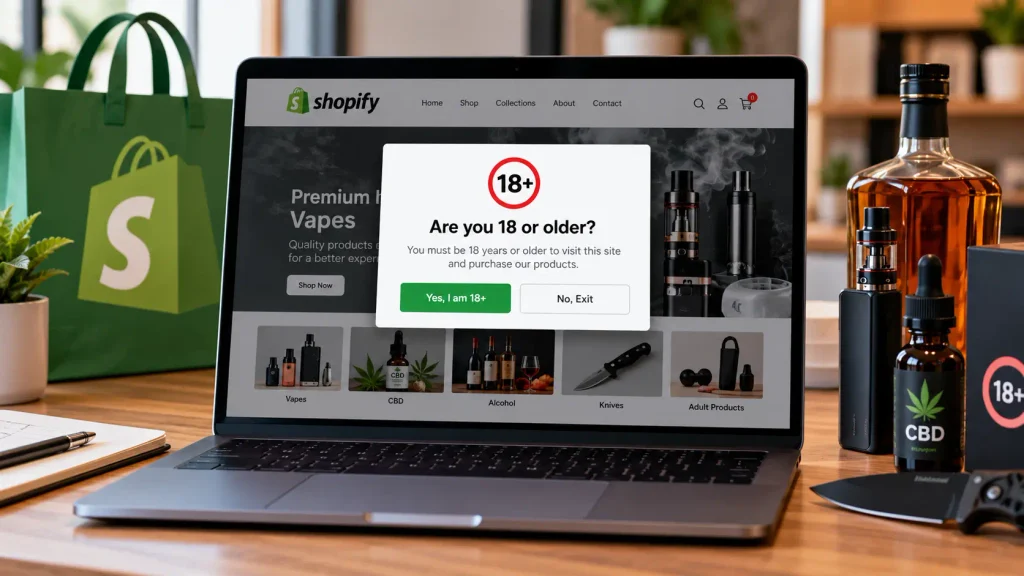
Picture this. You’ve spent weeks getting your Shopify store ready. The product photos look great, the theme is clean, and the first few orders are coming in. Then one morning you open your inbox and there’s a message from a parent. Their 15-year-old just bought something from you that they really shouldn’t have.
That’s usually the moment store owners start Googling age verification. Honestly, it’s much better to sort it out before that email ever shows up.
If you sell vapes, alcohol, CBD, knives, adult products, or anything else with an age limit, an age verification popup isn’t a “nice extra.” It’s one of the first things your store should have. Below, I’ll walk through why it matters, what it actually does (and what it doesn’t), and how to pick the right setup without overspending.
What Is an Age Verification Popup, Really?
An age verification popup is the small window that appears when someone first lands on your store. It asks one simple question before they can browse: are you old enough to be here?
You’ll also hear it called an age gate, and the name fits. It works like a gate at the front of your shop.
There are a few common styles:
- Yes/No buttons: “Are you 21 or older?” with two buttons. Quick and simple.
- Date of birth entry: the visitor picks their birthday, and the store checks it against your minimum age.
- ID-based checks: more advanced age verification software that compares a photo ID or checks a trusted database. You usually see this at checkout rather than on the homepage.
Most small stores start with the first or second option, and that’s fine for many products. If you sell something tightly regulated, though, you may need to go further.
Reason #1: The Law Usually Expects It
Just because products can be purchased and sold online doesn’t mean the legal age limits for the products disappear. In a physical store, the cashier can check a customer’s ID. That isn’t possible online, and that is why regulators worry about age verification online.
There are several examples age verifications presents online store owners with:
- Vapes and e-liquids: Recently, under the PACT Act, online sellers of vaping products are required to verify their customers’ ages and use an adult signature for product delivery.
- Adult products and content: age assurance is becoming stricter. For example, in the UK, it is no longer sufficient to have a click-through box for age verification.
- CBD, knives, fireworks, and similar products: the laws differ from country to country and from state to state.
Most blogs skip this section. A pop-up on its own will not fully protect a site from liability in all situations. For some products, the law states an in-person ID check at delivery is required. Age verification policies also serve as a filter and help reduce the number of underage customers accessing the site.
Note: this is not legal advice. Laws change with each country and each state. Check the laws that apply to the areas where you do business.
Reason #2: Payment Providers Are Watching Too
Payment processors care who you sell to.
Shopify Payments and most third-party gateways have restricted / high-risk product lists. If you sell in these categories, they often require proper age verification to be in place. Skipping it can lead to accounts being flagged, payouts being suspended, and in the worst case your payment account being terminated.
No way to take money = no business. Compared with that, adding an age gate is a small task.
Reason #3: It Makes Your Store Look Legit
You would think that having a popup on your website would put off customers. Instead, it ends up having the opposite effect.
Having an unobtrusive popup appear to adult visitors of a vape or wine shop instills a sense of good judgement in your customers
shows them that you are a legitimate business that values and abides by the law and helps protect your brand’s reputation
One angry teen can take a picture of a business selling to children and post it on social media. Even if your age-gate popup doesn’t stop every underage visitor, it will stop enough to show the world that you made a good faith effort to keep your shop safe. It may be a small step, but it makes all the difference. Finally, make sure to brand the popup with your logo/colors. It’s a great way to start a customer’s journey with your company. Think of it as an usher at the front of your store, guiding visitors through the process.
How to Pick the Right Age Verification App for Shopify
You don’t need a developer for this. Search “age verification” in the Shopify App Store and you’ll find plenty of options.
A rough way to think about it:
| Option | Best for | What it does |
| Free age verification app | New stores, lower-risk products | Basic yes/no or birthday popup with simple styling |
| Paid age verification app | Growing stores that want control | Custom design, page rules, country-based age limits |
| ID-based age verification software | Vapes, alcohol, tightly regulated items | Checks real ID at checkout and keeps records |
When researching the best age verification app for Shopify sellers, you should look for features such as:
- An app design customizable to your specific theme, not a random pop-up ad.
- A mobile design, as the majority of your traffic is probably mobile.
- Page targeting, to show the gate only on select collections if needed.
- The ability for customers to remember their age verification, as repeatedly age verifying is irritating for customers.
- A light weight app, as a heavier app increases page load times, hurts conversions and is bad for SEO.
Free plans are great to test the app, and you can easily upgrade to a paid plan at a later time if needed.
Setup Tips (and Mistakes I See All the Time)
Installing the app takes five minutes. Getting it right takes a little more thought.
- Set the correct age for your market. It’s 21 for vapes and alcohol in the US, but 18 in the UK, Pakistan, and many other places.
- Keep the wording short and friendly. “You must be 21+ to enter” works better than a block of legal text.
- Decide where “No” sends people. A polite exit page beats an error screen.
- Don’t block search engines by accident. Check that your pages still get indexed after installing.
- Test on your phone. The buttons should be easy to tap, and the popup shouldn’t cover the screen in a weird way.
- Add a checkout check if your product needs it. For vapes and alcohol, back up the homepage popup with age verification software at checkout or delivery.
The most common mistake? Installing an age gate, never looking at it again, and assuming the job’s done. Give it a quick check every few months, especially when the rules in your area change.
The Bottom Line
If your products have an age limit, age verification isn’t optional. It keeps you on the right side of the law, keeps your payment provider happy, and makes your store look like a business people can trust.
The setup is quick and cheap. Start with a simple age verification app, make it look like part of your brand, and add stronger checks at checkout if your products call for it.
Don’t wait for that email from an angry parent. Add your age verification popup today, and get back to the fun part: growing your store.

Chris Mcdonald has been the lead news writer at complete connection. His passion for helping people in all aspects of online marketing flows through in the expert industry coverage he provides. Chris is also an author of tech blog Area19delegate. He likes spending his time with family, studying martial arts and plucking fat bass guitar strings.