

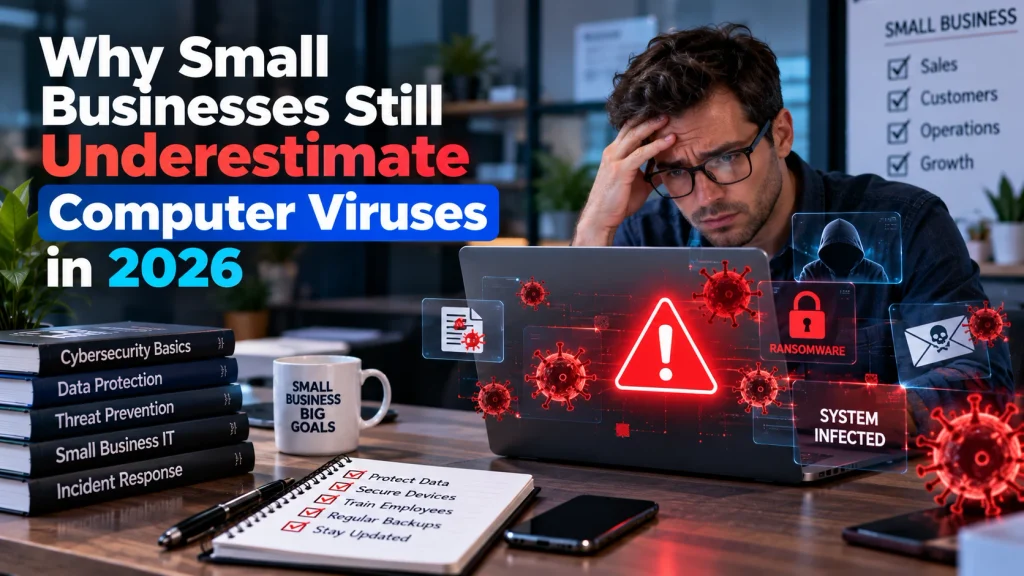
Ask a small business owner what worries them most about cybersecurity, and the answer is almost always something dramatic: a sophisticated hacker breaking into their systems, a targeted ransomware gang, a nation-state actor with resources far beyond what a small operation could ever face. What rarely makes the list is the far more mundane, far more common threat that actually costs small businesses the most money every year: computer viruses and malware, delivered through nothing more sophisticated than an email attachment or a compromised download.
This gap between perceived threat and actual threat is costing businesses real money, and it’s worth understanding why the basics still catch so many companies off guard.
The Threat Hasn’t Gone Away, It’s Just Gotten Quieter
Computer viruses used to announce themselves loudly. Screens would freeze, files would disappear, systems would crash in obvious, unmistakable ways. Modern malware and computer viruses have largely moved away from that model, because a virus that announces itself gets removed quickly, while one that stays quiet keeps working.
Today’s malware is far more likely to sit undetected, quietly logging keystrokes, harvesting saved passwords, or slowly exfiltrating customer data over weeks or months before anyone notices anything unusual. This shift matters enormously for small businesses specifically, because it means the absence of obvious symptoms is no longer a reliable sign that everything is fine. A system can be actively compromised, silently, for a long time before any visible consequence appears, and by the time it does, the damage is often already extensive.
Why Small Businesses Remain Disproportionately Vulnerable
Larger companies typically have dedicated IT security staff, automated patch management, and layered defenses built up over years of investment. Small businesses frequently operate with none of this, not because owners don’t care about security, but because every dollar and hour is under pressure to go toward the core business rather than infrastructure that doesn’t generate visible revenue.
This creates a predictable pattern: security software gets installed once during initial setup and rarely updated, operating systems run outdated versions because updates seem disruptive to daily operations, and employees receive little to no training on recognizing the kinds of emails and downloads that actually deliver malware in practice. Attackers, meanwhile, don’t need to work particularly hard to find these gaps. Automated scanning tools and mass-distributed phishing campaigns don’t discriminate between large and small targets, they simply exploit whatever vulnerability happens to be present, and a small business running outdated software is exactly the kind of low-effort, high-success target that keeps this entire category of attack profitable at scale.
The Real Cost When It Actually Happens
The financial impact of a malware infection extends well beyond whatever it costs to remove the infection itself. Business operations can grind to a halt while systems are cleaned and restored, sometimes for days, during which the business simply isn’t generating revenue. Customer trust, often built over years of consistent service, can evaporate quickly if customer data is exposed or if the business’s own systems get used to distribute malware further, turning a technical problem into a reputational one that outlasts the technical fix by a wide margin.
For businesses handling any kind of sensitive customer information, payment details, health information, personal records, a malware infection that results in data exposure can also trigger legal and regulatory obligations that many small business owners aren’t even aware they’re subject to until they’re already dealing with a breach. Notification requirements, potential fines, and the legal costs of managing a disclosed breach can dwarf whatever the original infection would have cost to prevent in the first place.
Common Entry Points Worth Understanding
Email remains, by a wide margin, the most common delivery mechanism for malware targeting small businesses. A convincingly disguised attachment or a link to a compromised website doesn’t need to fool an entire organization, it only needs to fool one employee on one occasion, which is exactly why email-based attacks remain effective despite years of general awareness about phishing as a concept.
Attackers have also gotten considerably better at making these emails look legitimate. Rather than the obviously suspicious messages of a decade ago, today’s attempts often reference real invoice numbers, mimic actual vendor communication styles, or arrive at moments when a fraudulent request wouldn’t seem out of place, right after a real transaction, during a busy season, or timed to coincide with when an employee typically expects that kind of communication. This makes the old advice of “just look for typos and bad grammar” increasingly unreliable as a defense on its own.
Outdated software represents the second major entry point, and it’s one that’s entirely within a business’s control to close. Every piece of software running on a business’s systems, operating systems, browsers, plugins, business applications, occasionally has security flaws discovered after release, and vendors issue patches specifically to close those gaps. A system running outdated software is running with known, publicly documented vulnerabilities that attackers actively scan for, essentially leaving a door unlocked that the vendor already told everyone how to lock.
Removable media and personal devices connecting to business networks add a third, often overlooked entry point. A USB drive plugged in from a trade show, or a personal laptop connecting to the office network without going through the same security checks as business equipment, can introduce malware that bypasses whatever perimeter defenses the business has built around its primary internet connection. This risk has grown alongside the rise of remote and hybrid work arrangements, where the line between “business network” and “home network” has become considerably blurrier than it used to be, often without a corresponding update to the security assumptions that were built for a more centralized office environment.
What Actually Reduces the Risk
None of the practical defenses against this category of threat require an enterprise security budget. Keeping software updated across every device, rather than just the most visible or most-used systems, closes the single most exploitable gap with essentially no ongoing cost beyond the discipline of not postponing updates indefinitely.
Reputable antivirus and anti-malware software, kept current rather than installed once and forgotten, still provides genuinely useful protection against known threats, even as attackers continue developing new techniques to evade detection. Regular, automated backups, stored somewhere separate from the primary systems they’re protecting, turn what could be a catastrophic data loss event into a manageable inconvenience, provided those backups are actually tested periodically rather than simply assumed to be working.
Employee awareness training, even informal and infrequent, meaningfully reduces the success rate of the email-based attacks that remain the most common entry point. Teaching staff to recognize suspicious attachments, verify unexpected requests through a separate channel before acting on them, and generally slow down before clicking something unfamiliar closes a gap that no piece of software can fully close on its own, since the decision to click ultimately rests with a person, not a system.
What This Looks Like in Practice
Consider a typical scenario: an accounting employee at a small manufacturing company opens what appears to be an invoice attachment from a familiar-looking vendor email address. The attachment installs malware silently, no crash, no error message, nothing that would prompt anyone to call for help. Over the following weeks, that malware quietly captures login credentials as they’re typed, including the credentials used to access the company’s banking portal and its customer database.
By the time anything looks obviously wrong, often when a fraudulent wire transfer clears or a customer reports receiving suspicious emails that appear to come from the company, the malware has already been active for weeks, and reconstructing exactly what data was accessed during that window becomes a forensic exercise rather than a simple checklist. This is the pattern that plays out repeatedly across small businesses: not a dramatic, obvious break-in, but a quiet compromise that only becomes visible once its consequences have already materialized elsewhere.
The Compounding Effect of Delayed Detection
The financial and operational cost of a malware infection tends to scale not just with the infection itself, but with how long it goes undetected. A compromise caught within hours, through active monitoring or an employee noticing something unusual and reporting it immediately, is a fundamentally different problem than one discovered weeks or months later. Early detection typically means containing the damage to a single system or a narrow window of exposure. Late detection means reconstructing an unknown scope of access across an unknown period of time, which is exactly the kind of open-ended, expensive investigation that turns a manageable incident into a business-threatening one.
This is precisely why monitoring matters as much as prevention. A business that has invested only in keeping malware out, updated software, spam filtering, antivirus, but has no way of detecting a successful infection once one occurs, is missing half of what actually limits real-world damage. Simple measures, like reviewing unusual login activity or unexpected outbound network traffic periodically, can shrink that detection window considerably without requiring a dedicated security team.
The Practical Takeaway
Computer viruses and malware haven’t disappeared as a threat to small businesses, they’ve simply become less dramatic and more financially damaging in the process. The businesses that fare best aren’t necessarily the ones with the biggest security budgets, they’re the ones that treat basic security hygiene, updates, backups, and employee awareness, as an ongoing operational habit rather than a one-time setup task completed years ago and never revisited. Understanding how modern malware actually spreads and operates, rather than assuming it still looks and behaves the way it did a decade ago, is the first step toward closing a gap that continues to cost small businesses far more than most owners realize until it’s their business dealing with the aftermath.

Chris Mcdonald has been the lead news writer at complete connection. His passion for helping people in all aspects of online marketing flows through in the expert industry coverage he provides. Chris is also an author of tech blog Area19delegate. He likes spending his time with family, studying martial arts and plucking fat bass guitar strings.