
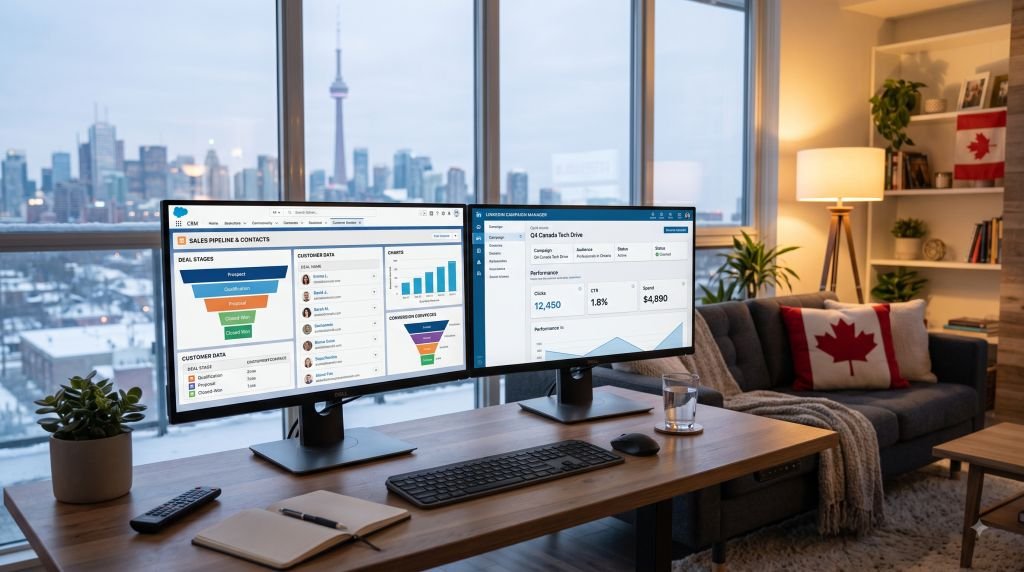
Your CRM is sitting on exactly the information that would make your LinkedIn ads sharper: who’s actually engaging, who’s already been disqualified, which industries convert twice as fast as others, and which deals are stalling in the pipeline right now. And yet most B2B teams still launch LinkedIn campaigns the same way they did five years ago — job title, industry, company size, done.
That gap between the data you already own and the targeting you’re actually running is the single biggest missed opportunity in most B2B paid social programs today. The good news: closing it in 2026 is easier — and more automated — than it’s ever been. LinkedIn now supports direct, real-time CRM syncing through its Conversions API, which means the “activation problem” this article used to describe as a manual workaround is increasingly something you can solve with a native integration instead of a custom-built workflow. Here’s what’s changed, what CRM-powered LinkedIn targeting actually looks like today, and how to set it up without a data team.
The Disconnect Between Data and Action
You’ve got a CRM packed with contact data, firmographics, deal stages, and engagement history. It’s a goldmine — at least in theory. But when it comes time to launch LinkedIn campaigns, many marketing teams go back to square one. They build audiences based on job titles or industry, layer in company size, and call it a day.
All that rich CRM insight? Left on the bench.
The truth is, most B2B teams are sitting on underutilized data that could make their LinkedIn campaigns smarter, faster, and far more relevant. The missing link isn’t data — it’s activation. And as third-party cookies continue to lose reliability across the ad ecosystem, first-party CRM data isn’t just a nice targeting upgrade anymore — it’s becoming the primary asset most B2B advertisers have left to target with any precision at all.
What CRM Data Can Actually Do for LinkedIn Ads in 2026
It’s easy to assume your CRM is only useful for email nurtures or sales tracking. But when synced correctly with LinkedIn, it becomes a strategic targeting engine. You’re no longer guessing who your audience is — you’re refining based on what your best customers already look like.
Here’s what your CRM can unlock when used well:
- Retargeting high-intent leads who didn’t convert
- Excluding closed-won or closed-lost deals from top-funnel campaigns
- Creating lookalike audiences based on your most valuable customers
- Personalizing ads based on lifecycle stage or product interest
- Building pipeline-stage-specific audiences — for example, a separate ad track for “MQL, not yet SQL” versus “Opportunity stalled 30+ days”
And if your CRM is connected to your deal pipeline, you can even begin to segment audiences based on likelihood to close or expected deal value.
That’s next-level targeting — not just spray-and-pray.
What’s New Since Last Year: CRM Sync Has Gone Native
The biggest shift in this space over the past year is how the connection itself works. Historically, keeping a LinkedIn Matched Audience in sync with your CRM meant exporting and re-uploading CSV lists — a process that decayed quickly as contacts changed jobs or companies got acquired. As of 2026, LinkedIn’s Conversions API (CAPI) and native integrations with platforms like HubSpot and Salesforce let you skip that manual step entirely:
- Real-time sync — when a contact moves from “Lead” to “MQL” in your CRM, the matched audience can update within hours instead of waiting for the next manual upload.
- Automatic exclusions — closed-won customers roll out of prospecting audiences automatically, so you stop paying to advertise to people who already bought.
- Pipeline-stage segmentation — different audiences (and different creative) for each stage of the funnel, updated continuously rather than rebuilt every quarter.
Note to editor: Some agency sources claim CRM-synced Matched Audiences outperform standard demographic targeting by 30–60% on cost per qualified lead. We could not independently verify that specific range from a primary LinkedIn or third-party research source, so treat it as a directionally useful but unconfirmed industry claim rather than a hard benchmark — and test it against your own account’s performance before using it in reporting.
Why This Matters for Pipeline Efficiency
Let’s say your sales team is chasing down leads from your last campaign, but 30% of them have already been marked as unqualified in your CRM. If that data isn’t being used to refine your audience targeting on LinkedIn, guess what happens? You keep serving ads to people your team already ruled out.
Or maybe your CRM shows that leads from mid-sized companies in healthcare convert at twice the rate of those in finance. That’s valuable insight. But unless you feed that back into your LinkedIn audience strategy, you’re throwing budget at segments that just don’t perform.
This isn’t a hypothetical concern, either. Industry research on first-party data adoption consistently points the same direction: marketers who unify CRM and behavioral data into their targeting see meaningfully better account-based marketing performance than those relying on platform-native targeting alone. The exact lift varies by source and methodology, but the direction of the trend is consistent enough that it’s no longer a “someday” project for most B2B teams — it’s table stakes.
This is where working with experienced LinkedIn ad agencies can make a real difference, especially if you don’t have in-house resources to build and maintain the integration. They don’t just pull lists — they build data flows, and they make sure your CRM and ad platform actually talk to each other on an ongoing basis, not just at launch.
What’s Blocking CRM Integration?
If this sounds obvious, why isn’t everyone doing it? A few common reasons:
- Lack of platform sync – Your CRM and LinkedIn aren’t connected, or the connection is limited to one-off CSV uploads instead of a live sync.
- No process for audience hygiene – Your lists are out of date or too broad, making campaign refinement difficult. Static uploaded lists decay as contacts change jobs and companies get acquired or renamed — a list that was accurate three months ago may already be meaningfully off today.
- Marketing-sales disconnect – Sales has insights, but marketing isn’t feeding them into the top of the funnel.
- Not enough bandwidth – Setting up custom workflows and segmented audiences takes time and technical effort, even with native integrations reducing some of that burden.
- Consent and data-governance uncertainty – Teams are (rightly) more cautious than they used to be about what customer data can be pushed to an ad platform, and under what legal basis.
All solvable problems — but not without intention and structure.
In My Experience: The Mistake Most Teams Make First
When I first started setting up CRM-to-LinkedIn syncs for B2B clients, I made the same mistake nearly every team makes: I treated the integration as a one-time setup task instead of an ongoing process. We connected the CRM, built a few Matched Audiences, and moved on to the next project. Three months later, the audiences were quietly stale — deals that had closed were still being retargeted, and new MQLs weren’t flowing in because a field mapping had silently broken after a CRM update.
What I learned is that a CRM-LinkedIn integration needs an owner, not just a setup checklist. Someone needs to check monthly that the sync is actually firing, that exclusion lists are current, and that the lifecycle-stage definitions in your CRM still match what your ad campaigns assume they mean. It’s a small amount of ongoing maintenance, but skipping it is exactly how “smart” CRM-powered targeting quietly degrades back into the same broad, stale lists it was supposed to replace.
As several marketers on r/PPC and r/digital_marketing have pointed out in threads about Matched Audiences, the single most common complaint isn’t that CRM syncing doesn’t work — it’s that match rates and audience sizes shrink faster than expected once suppression and exclusion rules are layered in, catching teams off guard when their “targeted” audience turns out to be too small to spend budget against efficiently. Building in a minimum viable audience size check before you launch a hyper-segmented campaign will save you from that surprise.
What a Smarter Setup Could Look Like
Imagine this flow:
- A lead downloads a resource from your website and enters your CRM.
- Based on company size and engagement score, they’re tagged as a high-potential MQL.
- That tag automatically pushes them into a retargeting list on LinkedIn — via a live CRM sync, not a manual export.
- They start seeing conversation ads offering a live demo or a tailored use case guide.
- If they convert, they’re removed from the campaign and passed to sales.
- If they don’t engage within 14 days, they drop into a new nurture track with different creative.
That’s not theoretical. That’s what well-integrated campaigns can do today, largely without custom engineering. It’s how you stop treating every prospect the same and start building real intent-based journeys.
Use CRM Insights to Shape Creative, Too
Targeting is only part of the picture. If your CRM shows that users from certain industries or seniority levels respond to different messaging, don’t waste that insight.
For example:
- Operations leads might want to hear about efficiency and automation.
- CFOs care more about ROI and forecasting.
- End users? They’re focused on ease of use.
Your ad creative, headlines, and CTAs should reflect those differences. CRM data can and should inform your messaging strategy — not just your audience filters. If you haven’t yet connected this back to broader performance marketing measurement, our guide on performance marketing in the age of AI covers how AI-assisted bidding and attribution are changing that side of the equation too.
Data Governance: The Part Most Guides Skip
Because this article is about pushing customer and prospect data into an advertising platform, it’s worth being direct about the compliance side, which gets far less attention than the targeting upside.
- Only sync data you have a legitimate basis to use for advertising. Contact information collected for a specific purpose (like fulfilling a support request) isn’t automatically fair game for retargeting — check your privacy policy and applicable consent records before building a sync.
- Hashed matching is standard, not optional. Legitimate CRM-to-LinkedIn integrations transmit hashed identifiers (like a hashed email address), not raw personal data, when building Matched Audiences.
- Document your data flows. If you’re subject to GDPR, CASL (Canada’s anti-spam legislation), or similar frameworks, you’ll want a clear record of what CRM fields are being synced to LinkedIn and under what legal basis, in case it’s ever questioned.
- Give your sales team visibility into what’s being suppressed. If a prospect asks to be removed from marketing contact, that exclusion needs to propagate to your ad platforms too, not just your email tool.
None of this should discourage you from building the integration — it should just be part of how you build it.
Final Thought: Don’t Let Your CRM Become a Data Graveyard
Your CRM shouldn’t just be a record of what’s happened — it should influence what you do next. When used strategically, it becomes a real-time engine for targeting, sequencing, and personalizing your LinkedIn campaigns.
If your LinkedIn strategy is still built around cold targeting and broad assumptions, it’s time to shift gears. The data you need is already in your hands. In 2026, the tools to activate it — native CRM integrations, CAPI, and automated audience syncing — are more accessible than ever. You just need the right process, a clear owner for ongoing maintenance, and sometimes the right partner, to put it to work.
Frequently Asked Questions
How do I connect my CRM to LinkedIn Matched Audiences?
Most major CRMs (HubSpot, Salesforce, Microsoft Dynamics) offer either a native LinkedIn integration or support connection through LinkedIn’s Conversions API. In HubSpot, this typically lives under Marketing > Ads > Audiences; in Salesforce, it usually requires either a native connector or a third-party tool like LeadsBridge or Make to bridge the two platforms.
Is CRM-to-LinkedIn syncing GDPR/CASL compliant?
It can be, but compliance isn’t automatic. You need a documented legal basis for using the contact data for advertising, and the integration itself should transmit hashed (not raw) identifiers. Consult your legal or compliance team before syncing customer data to any ad platform.
How often does a CRM-synced LinkedIn audience update?
With a native CAPI-based integration, syncing typically happens within hours of a CRM record change, rather than the days or weeks it took with manual CSV uploads. Exact timing varies by CRM and integration method.
Do I need a developer to set this up?
Not necessarily. Native integrations in HubSpot and similar platforms are largely point-and-click. Salesforce and more complex CRM setups may benefit from a marketing operations specialist or an agency partner, especially for pipeline-stage segmentation.
What’s the difference between Matched Audiences and standard LinkedIn targeting?
Standard LinkedIn targeting uses platform data — job title, industry, seniority, company size. Matched Audiences let you upload or sync your own first-party data (from your CRM, website, or CSV lists) to target, exclude, or build lookalikes from people you already know something about.
Why is my synced audience smaller than expected?
Audience size shrinks with each layer of exclusion and match precision — LinkedIn also can’t always match every contact to a member profile, so match rates below 100% are normal. If your audience becomes too small to spend budget efficiently, consider broadening the CRM segment or combining it with a lookalike audience.
Should I still use job title and industry targeting if I have CRM data synced?
Often, yes — as a complement, not a replacement. CRM-based Matched Audiences are excellent for retargeting and exclusion, but pure prospecting (finding net-new accounts that look nothing like your current CRM records yet) still benefits from LinkedIn’s native firmographic and demographic targeting or lookalike audiences built from your best customers.
This article is reviewed and updated periodically to reflect current LinkedIn advertising capabilities and CRM integration options. Have a correction or a workflow tip we missed? Contact us.

Chris Mcdonald has been the lead news writer at complete connection. His passion for helping people in all aspects of online marketing flows through in the expert industry coverage he provides. Chris is also an author of tech blog Area19delegate. He likes spending his time with family, studying martial arts and plucking fat bass guitar strings.